Audio to MIDI checked by ear
Choose an MP3, WAV or video. The notes come back as a score you can check against the recording, then as a MIDI file with a track for each part.
Drop an MP3, WAV or video here
MP3, WAV, M4A, FLAC, OGG, AIFF or a video, up to 95 MiB. One instrument or solo piano covers 6 minutes (15 with Plus), a band up to 30 minutes (6 without Plus).
- Free
- The first 30 seconds
- Price
- 10 credits a piece, a band 30 a minute
- MIDI
- Active Plus or existing download access
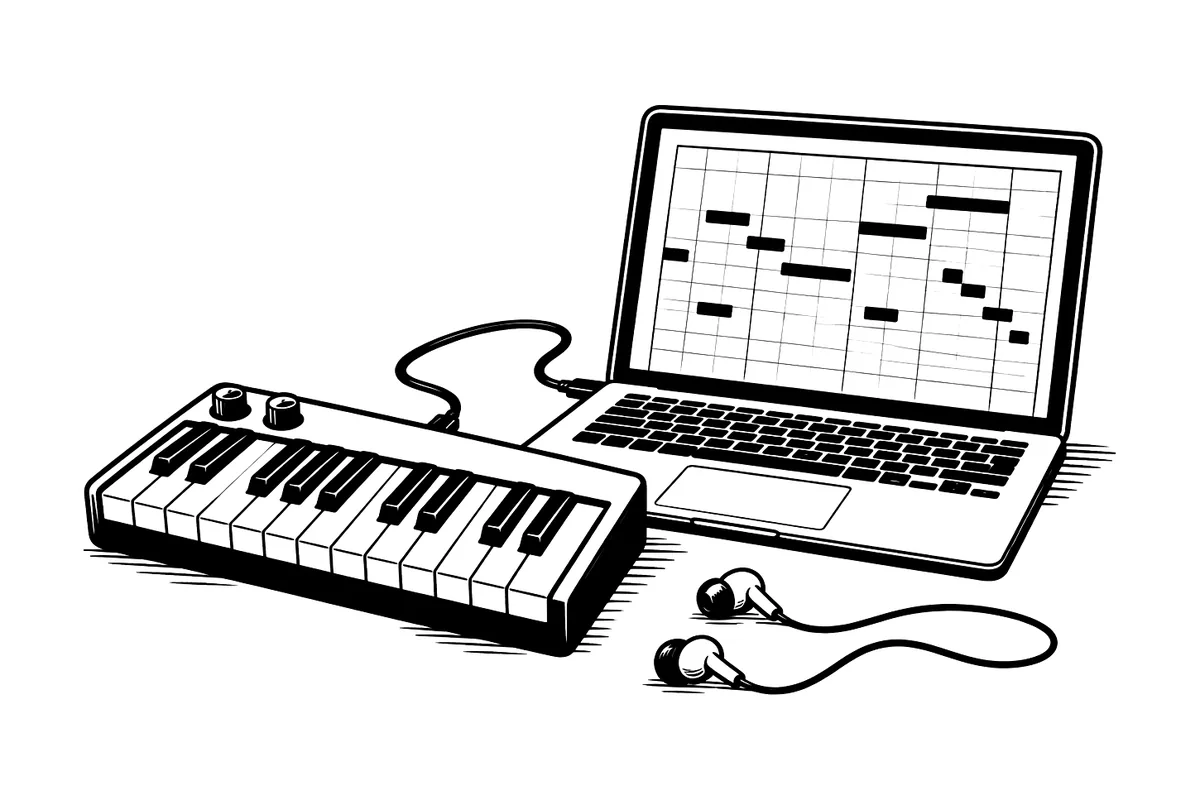
Convert MP3, WAV or video audio to MIDI online. ScoreStarling writes a score you can compare with the recording and correct before exporting one MIDI track per part. The first 30 seconds are free to preview. One instrument or solo piano costs 10 credits a piece, a band 30 credits a minute. A free account gets 100 credits a month. MIDI downloads need active Plus or existing download access.
How it works
- Choose the recording above. The workspace opens with it, after you sign in if needed.
- Say what is playing. For piano, choose Solo piano to get both hands.
- Check the score against the recording and correct it.
- Download the MIDI or MusicXML, with active Plus.
What you bring and what you get
You bring
- An MP3, WAV, M4A, FLAC, OGG, AIFF or video file
- A voice, one instrument, solo piano or a band
You get
- A MIDI file with one track per part, with active Plus
- MusicXML of the same notes for notation software, also with Plus
- A score to check and fix before you export
- PDF, MP3 and WAV
Choose for what is playing
- A single melody, voice or guitar: choose One instrument or voice. Check octave jumps and missing short notes.
- Solo piano: choose Solo piano. Check the left-hand bass and the length of notes under the pedal.
- A full song: choose Band or several instruments. Listen to each part alone; overlapping instruments can produce extra notes.
Why you see a score before the MIDI
A converter that hands back a MIDI file straight away leaves you to find the wrong notes in your DAW. Here the notes appear as a score first, with playback you can compare against the original recording, so a missed note or an octave slip is easy to hear and fix with a click. The MIDI you download includes those fixes.
Taking the MIDI into your DAW
A MIDI file holds note events, not the sound of the recording. The piano or synth in your DAW supplies the sound. Before you export, check the key, tempo and note lengths in the score. Then import the MIDI onto an instrument track and listen again.
The piano example above pairs a recorded performance with a checked reference score. Its MIDI is exported from that score. The GuitarSet example below includes a checked score and the original automatic result.
- Start with two to four bars. Compare Recording and Score, then fix pitches and octaves before adjusting note lengths.
- Check the score’s tempo before importing. If the MIDI drifts from the original audio, align it in your DAW; the export follows the score.
- Assign an instrument to every MIDI track, then listen again with the original audio.
A real guitar recording and a checked score
This 19.6-second GuitarSet solo has public note, beat and string annotations. We used them to prepare the checked score below; the original automatic result is kept underneath.
GuitarSetA 19.6-second guitar solo and its checked score
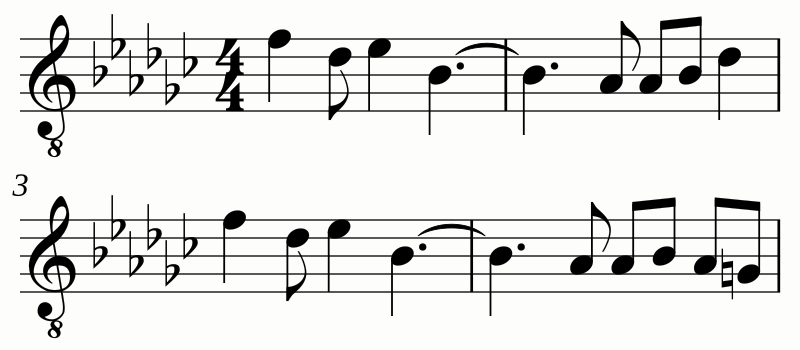
Both versions use an acoustic guitar sound. In the checked score, connected notes last until the next attack; longer pauses are kept.
Compare with the original automatic result
This is the automatic result saved on October 4, 2026. Its notes are unchanged; only its playback instrument has been set to acoustic guitar.
Uncorrected guitar playback
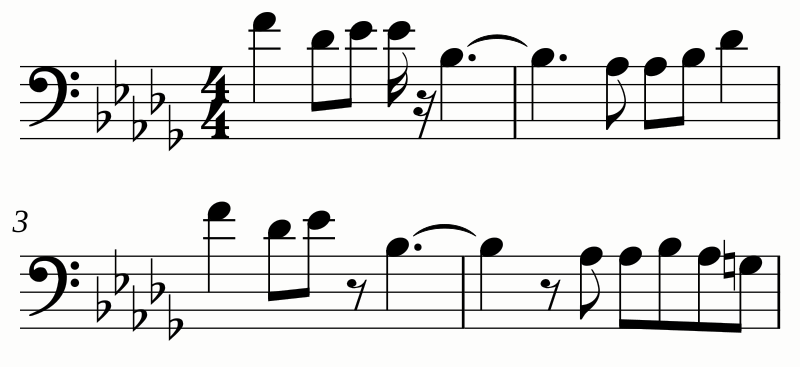
GuitarSet, CC BY 4.0. Source, attribution and export details. This saved example does not measure the current service.
How accurate is it?
It depends on the recording. We measured the free engines on public datasets and published the method and the numbers in How accurate is AI music transcription?
Good to know
Earlier download rights on an account or score still apply. New credit packs alone do not include editable downloads.
- One instrument or voice and solo piano cover 6 minutes (15 with Plus), and a band up to 30 minutes (6 without Plus).
- If a MIDI file looks messy once you import it into MuseScore, this article explains why. MusicXML keeps the spelling, rests and key; see audio to MusicXML.
Questions and answers
Is the MIDI download free?
The free 30-second preview lets you check the result before you spend credits. A free account gets 100 credits a month and can download PDF, MP3 and WAV. MIDI and MusicXML need active Plus or existing download access. New credit packs alone do not include those downloads.
Can I convert MP3 to MIDI?
Yes. Choose the MP3, or a WAV, M4A, FLAC, OGG or AIFF file or a video, and say what is playing. One instrument or voice and solo piano cover 6 minutes (15 with Plus), and a band up to 30 minutes (6 without Plus). Check the score beside the recording, then download the MIDI with active Plus.
Does the MIDI keep the timing of my playing?
It follows the score rather than your exact playing: the notes you see, at the score’s tempo, with each part on its own track. Any edits you make in the workspace are in it.
Can it convert piano with both hands?
Yes. Choose Solo piano, which writes both hands and the pedal and finds the bar lines and meter in the playing. It costs 10 credits a piece.
What about a whole band?
Choose Band or several instruments, and each instrument you confirm gets its own staff and MIDI track. It costs 30 credits a minute, and you see the price before it starts. See band recording to sheet music.
More tools
-
YouTube to MIDI
Paste a YouTube or Bilibili link and get a MIDI file, after you hear the notes as a score and fix them. The first 30 seconds are free to preview.
-
MP3 to sheet music
Convert an MP3 to sheet music online. Choose what is playing, compare the score with your recording and print. First 30 seconds free.
-
AnthemScore alternatives
AnthemScore is desktop software you buy once. Compare free, open-source and online alternatives: ScoreStarling, Basic Pitch, Transkun, MuScriptor and Klangio.